
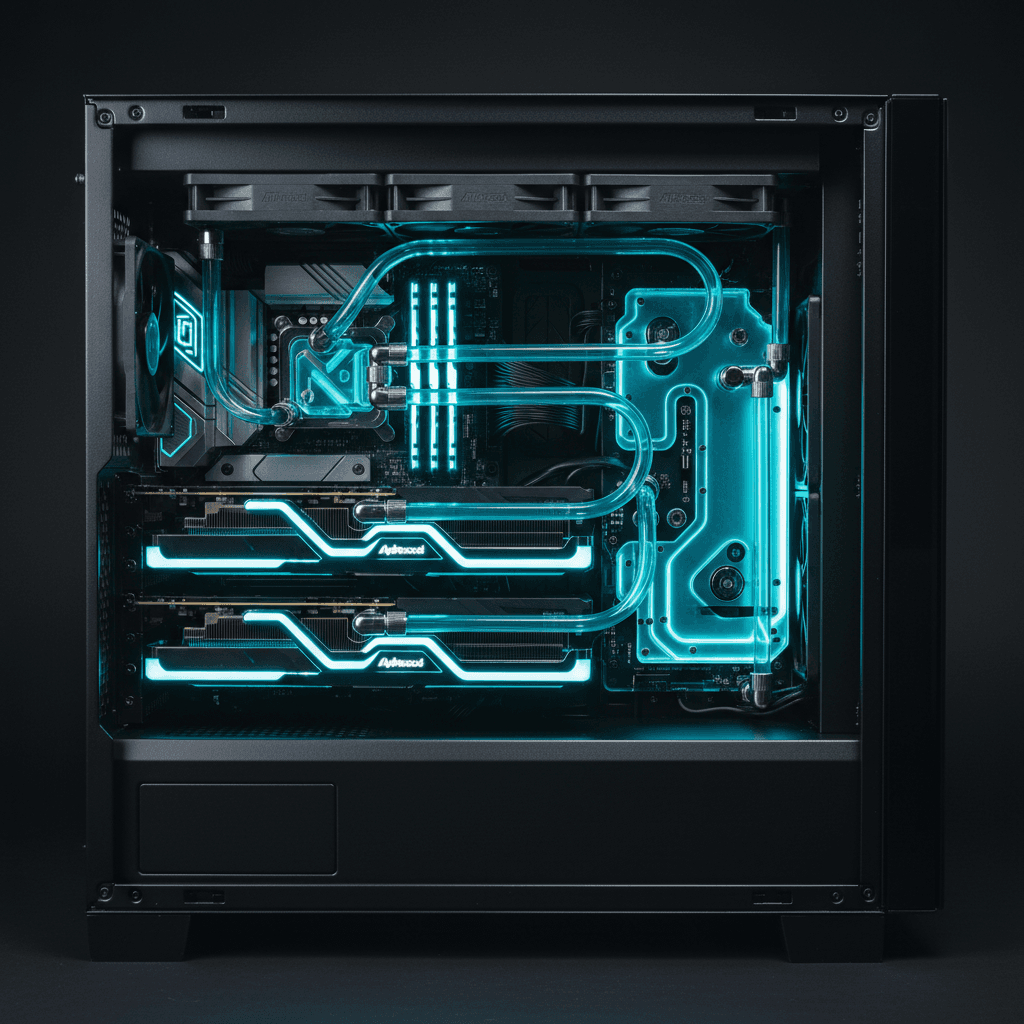
Our dual RTX 5090 workstation was thermal throttling 47 minutes into every inference run. Two 575W GPUs dumping 1,150W of heat into the same case, stock air coolers screaming at full speed, and boost clocks dropping 200MHz below rated spec. We were leaving performance on the table every single day. So we spent $2,000 on a custom water cooling loop. Here is exactly what happened to our temperatures, performance, power draw, noise, and bottom line.
The Problem: 1,150W of Heat in a Single Case
Running two NVIDIA RTX 5090 Founders Edition cards on air cooling is technically possible. NVIDIA ships them with air coolers for a reason. But NVIDIA also assumes you are running one card in a case with decent airflow, not two cards stacked next to each other running 24/7 AI inference workloads.
Our workstation runs 18 AI tools in production around the clock. Whisper for transcription, Ollama for text inference, background removal, TTS, video generation, embeddings. These are not gaming workloads where the GPU hits peak for 20 minutes and then idles during a cutscene. This is sustained, continuous load.
On air cooling, both GPUs consistently hit 80C to 83C under load. The fans ramped to 2,800 RPM, which is roughly the noise level of a small shop vac. Boost clocks that should have held at 2,407MHz were sagging to 2,200MHz. Worse, the thermal throttling was inconsistent. Sometimes one card would throttle harder than the other, creating asymmetric performance that made multi GPU inference unpredictable.
The office was unusable during heavy inference runs. You could hear the fans through a closed door.
The Solution: Full Custom Loop
We went with a complete custom water cooling setup. Here is the parts list:
- 2x EK Quantum Vector3 Master waterblocks for the RTX 5090 FE
- 3x 360mm Alphacool NexXxos ST30 radiators (1,080mm total rad surface)
- EK Quantum Kinetic D5 pump/reservoir combo
- 16mm soft tubing with compression fittings
- EK CryoFuel Clear coolant
Total cost including fittings, fans, and thermal paste: $2,047.
Installation took a full weekend. The 5090 FE cards have a unique PCB layout that makes waterblock installation more involved than previous generations. The EK Vector3 blocks require removing the stock cooler, which voids the warranty. We accepted that tradeoff because the alternative was running $4,000 worth of GPUs at reduced performance.
The Results: Before and After Numbers
This is the part that matters. Every number below is a real measurement from our production workstation, not a synthetic benchmark.
Temperatures: - GPU 1 load temp: 82C down to 52C (30C reduction) - GPU 2 load temp: 80C down to 55C (25C reduction) - Hotspot delta: 15C down to 8C - Ambient case temp: dropped 11C
Fan noise: - Air cooling at load: 48 dB (measured at desk, 1 meter) - Water cooling at load: 29 dB (barely audible over ambient room noise)
Sustained boost clocks: - Air: 2,200MHz average under sustained load - Water: 2,390MHz sustained, within 17MHz of rated max boost
Power draw: - Combined GPU power dropped from 1,150W average to 1,080W average under identical workloads - 70W reduction because the cards no longer power high RPM fans and thermal management circuitry works more efficiently at lower temps
Inference Benchmarks After Cooling
With thermal throttling eliminated, here is what our production inference looks like:
- deepseek-v2: 415 tokens per second generation
- qwen3.5:9b: 1,284 tokens per second prompt throughput, 160 tokens per second generation
- gemma4:31b: 1,174 tokens per second prompt throughput, 61.6 tokens per second generation
- llama3.1:70b: 35 tokens per second across both cards
These are not cherry picked numbers. These are real throughput measurements from Ollama running on our production system with real workloads queued behind them.
The CPU Governor Discovery
While benchmarking the cooling improvements, we discovered something that had been silently killing performance for months. Our Ryzen 9 9950X was running in powersave governor mode instead of performance mode. The CPU was clocking down to 3.3GHz when it should have been boosting to 5.72GHz.
This was not a cooling issue. It was a Linux kernel default that nobody had caught. One command fixed it:
\