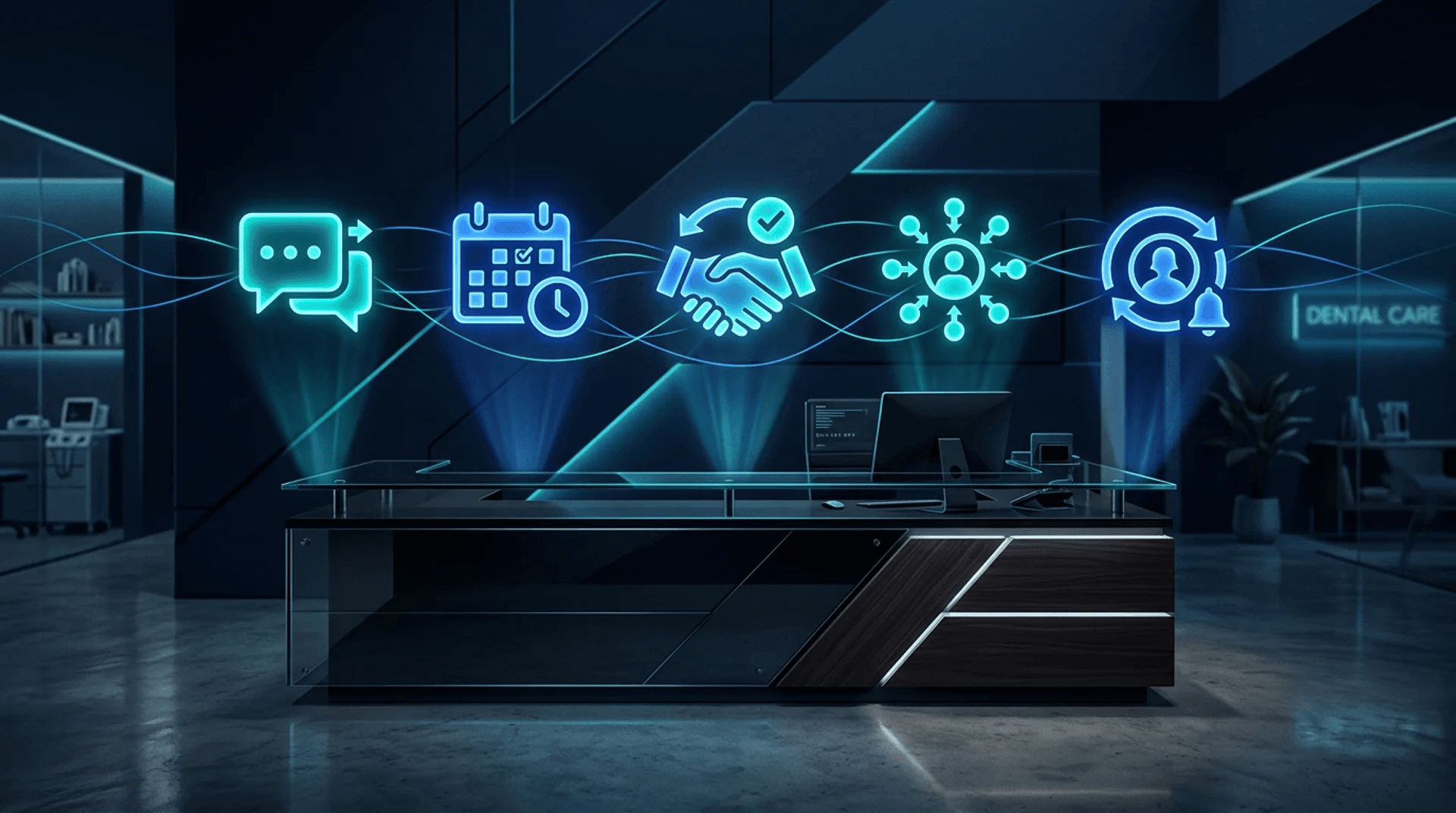
Review responses, appointment reminders, no show follow ups, referral requests, and recall campaigns. These are the five systems that separate dental practices running on autopilot from the ones drowning in admin work and losing patients to the practice down the street. None of them are complicated. All of them can be live before the end of the week. Here is exactly how each one works, what it costs you to not have it, and what to expect when you turn it on.
If you are not sure where your practice stands on automation readiness, start with our AI Readiness Assessment. It takes three minutes and will tell you exactly which of these five systems should be your first priority.
1. Review Response Automation
Online reviews are the front door of your dental practice. Before a prospective patient ever calls your office, they are reading what other people said about you on Google. According to BrightLocal, 87% of consumers read online reviews for local businesses, and dental practices are one of the most reviewed categories in local search. But here is the part most practices miss: prospective patients do not just read the reviews. They read your responses. A practice that responds to every review, thanking happy patients and addressing concerns from unhappy ones, signals professionalism, attentiveness, and confidence. A practice with dozens of unanswered reviews signals the opposite.
Google has also confirmed that responding to reviews improves your local search ranking. Their own support documentation states that businesses that respond to reviews are considered more trustworthy by both consumers and by the algorithm. So every review sitting without a response is not just a missed engagement opportunity. It is actively hurting your visibility in search results.
The problem is time. Writing thoughtful, personalized responses to every review takes effort. Most front desk teams either do not have the bandwidth or do not know what to say, especially when the review is negative. So reviews pile up unanswered, and the practice's online reputation slowly erodes.
How the automation works: The system monitors your Google Business Profile and Yelp for new reviews in real time. When a new review comes in, AI generates a personalized response that matches your practice's tone of voice. For 4 and 5 star reviews, the response can be sent automatically with no human intervention. The AI thanks the patient by name if available, references something specific from their review to make it feel personal, and includes a subtle call to action like inviting them to refer a friend or book their next cleaning.
For 1, 2, and 3 star reviews, the system takes a different approach. Instead of auto sending, it generates a draft response and routes it to the practice owner or office manager for review before sending. This is critical because negative reviews require a human touch. The AI draft gives you a starting point that is professional, empathetic, and non defensive, but you get the final say before it goes live. This prevents the risk of an automated response making a bad situation worse while still cutting your response time from days to minutes.
You can test what AI-generated review responses look like for your practice using our review response generator. It is free and gives you a feel for the tone and quality before you commit to automating the process.
Real results: Practices using automated review responses see an average increase of 0.3 to 0.5 stars in their overall Google rating within six months, driven by higher response rates encouraging more positive reviews. Response time drops from an average of 5 days to under 4 hours. The setup takes about 30 minutes and saves 3 to 5 hours per month of staff time.
2. Appointment Reminders (SMS + Email)
No shows are one of the most expensive problems in dentistry, and one of the most preventable. The average dental appointment generates $200 to $400 in revenue, and most practices experience a no show rate between 10% and 20%. For a practice seeing 30 patients a day, that means 3 to 6 empty chairs daily, translating to $3,000 to $12,000 per month in lost revenue. That is revenue you already earned through marketing, scheduling, and staffing. It just evaporated because the patient forgot, got busy, or decided to cancel without telling you.
Manual reminder calls are the traditional fix, and they are terrible at scale. Your front desk team spends hours on the phone leaving voicemails that no one listens to. They miss patients because the line was busy. They forget to call the afternoon appointments because the morning rush got out of hand. It is a system that depends entirely on human consistency, and human consistency breaks down every single day.
How the automation works: The system syncs directly with your practice management software, whether that is Dentrix, Eaglesoft, Open Dental, or any platform with an API or export capability. It pulls the next day's schedule and automatically sends a multi-channel reminder sequence at three intervals: 48 hours before, 24 hours before, and 2 hours before the appointment.
Each reminder goes out via both SMS and email. SMS has a 98% open rate and is read within 3 minutes on average, making it the primary confirmation channel. The email serves as a backup and provides additional details like office address, parking info, and pre-appointment instructions.
Every message includes two things: a one tap confirmation button and an easy reschedule link. The confirmation button updates the appointment status in your PMS automatically, so your front desk can see at a glance who has confirmed and who has not. The reschedule link opens a self service booking page where the patient can move their appointment to another available slot without calling the office. This is critical because many no shows are not patients who forgot. They are patients who needed to reschedule but did not want to deal with a phone call.
Confirmation tracking closes the loop. If a patient has not confirmed by the morning of their appointment, the system flags them in the schedule and optionally sends one final "Are you still coming today?" text. This gives your front desk a short list of at risk appointments they can manually follow up on, rather than calling every patient on the books.
Real results: Practices running automated reminders consistently report a 40% to 60% reduction in no shows. For a practice losing $6,000 per month to empty chairs, that is $2,400 to $3,600 recovered every month. Setup takes about one hour, and the system runs itself from that point forward. Your front desk gets hours back every week, and your schedule stays full.
3. No Show Follow-Up
Even with the best reminder system, some patients will still no show. That is unavoidable. What is avoidable is losing that patient permanently because nobody followed up. Most practices mark the no show in the system and move on. Maybe someone calls in a week or two. More often, the patient just falls off the radar and books with another practice the next time they need care.
The cost of losing a patient is significant. The average lifetime value of a dental patient is estimated at $12,000 to $15,000 when you factor in biannual cleanings, X-rays, fillings, crowns, and referrals. Losing a patient over a single missed appointment is an expensive mistake, and it is entirely preventable with a simple automated follow up.
How the automation works: The system triggers the moment a patient is marked as a no show in your PMS. Within two hours of the missed appointment, the patient receives a friendly text message: "Hi [Name], we missed you at your appointment today. No worries, life happens. Here is a link to rebook at a time that works better: [reschedule link]." The tone is warm, not guilt-inducing. You want the patient to feel welcomed back, not scolded.
The system then follows an escalation logic based on whether the patient rebooks. If they click the link and reschedule within 48 hours, the system closes the loop and confirms their new appointment. If they do not respond within 48 hours, a second message goes out, this time via email, offering multiple scheduling options and gently emphasizing the importance of staying on track with their dental care.
If the patient still has not rebooked after 5 days, the system creates a phone task for the front desk with full context: the original appointment date, the messages that were sent, whether the patient opened or clicked anything, and a suggested call script. This ensures that when your team picks up the phone, they have everything they need for a productive conversation rather than a cold call.
Real results: Automated no show follow up recovers 30% to 45% of missed appointments within the first week. For a practice with 15 no shows per month, that means 5 to 7 patients rebooked automatically without any staff effort. At $250 per average appointment, that is $1,250 to $1,750 per month recovered. Setup takes about 30 minutes.
4. Referral Request Campaigns
Word of mouth has always been the most powerful growth channel for dental practices. A referred patient arrives with built in trust, is more likely to accept treatment recommendations, and has a higher lifetime value than a patient who found you through an ad. Studies consistently show that referred patients have a 25% to 30% higher retention rate and are four times more likely to refer additional patients themselves. Referrals compound.
The problem is that most practices treat referrals as something that happens passively. A patient tells their friend, the friend calls, and nobody tracks where they came from or follows up with the referring patient. There is no system, no prompt, and no reward. The result is that even highly satisfied patients who would happily refer their friends and family simply never think to do it because they were never asked.
How the automation works: The system identifies patients who are most likely to refer based on two signals: they recently left a positive review (4 or 5 stars), or they just completed a significant treatment and had a positive experience. Seven days after the trigger event, the patient receives a personalized email thanking them for their trust and asking if they know anyone who might benefit from the same quality care.
The timing of 7 days is intentional. It is long enough that the patient does not feel like the thank you was transactional, but short enough that the positive experience is still fresh in their mind. The email includes a unique referral link or referral card that the patient can share with friends and family. When someone books through that link, the system automatically tracks the referral back to the source patient, giving you clean data on who your top referrers are.
For practices that want to add an incentive layer, the system supports reward tracking: a credit toward their next cleaning, a gift card, or a donation to a charity of their choice. The reward is triggered automatically when the referred patient completes their first appointment, closing the loop without any manual tracking.
Real results: Practices running systematic referral campaigns see an average of 2 to 5 new referred patients per month from a system that requires zero staff effort after setup. At an average lifetime value of $12,000 per patient, even 2 referrals per month represent $24,000 in long term practice value. Setup takes about 45 minutes, including template customization and referral tracking configuration.
5. Patient Recall Campaigns
Every dental practice has a list of patients who came in once or twice and then disappeared. They did not leave because they were unhappy. They left because life got busy, they changed insurance, they moved across town, or they simply forgot to book their next appointment. These patients are not lost. They are dormant. And reactivating them is significantly cheaper than acquiring new patients through advertising.
The math makes this obvious. Acquiring a new dental patient through Google Ads or direct mail costs an average of $150 to $300. Reactivating a lapsed patient through an automated recall campaign costs virtually nothing beyond the messaging infrastructure, which is already in place if you have set up the automations above. And lapsed patients convert at a much higher rate than cold prospects because they already know your practice, your team, and your location.
How the automation works: The system queries your PMS for patients whose last visit was more than 6 months ago. It then enrolls them in an automated recall sequence with three touchpoints, timed at 6 months, 9 months, and 12 months since their last visit.
The 6 month message is a gentle reminder: "Hi [Name], it has been a while since your last visit with us. Your smile misses you, and we would love to get you back on the books. Here is a link to schedule your next cleaning: [booking link]." The tone is light and friendly.
The 9 month message adds a layer of urgency and specificity: "Hi [Name], it has been 9 months since your last dental checkup. Regular cleanings help catch small issues before they become expensive ones. We have openings this week. Book here: [booking link]." This message connects the appointment to a tangible benefit, specifically preventing costly procedures down the road.
The 12 month message is the final automated touchpoint, and it uses a direct approach: "Hi [Name], it has been over a year since your last visit. We do not want you to fall through the cracks. We are holding a spot for you this month. Book here: [booking link]." If the patient does not respond to any of the three messages, they are flagged for a manual phone call or removed from the active recall list.
Real results: Automated recall campaigns typically reactivate 15% to 25% of lapsed patients over a 12 month cycle. For a practice with 200 lapsed patients, that is 30 to 50 patients returning to active care. At an average of $500 in first visit revenue (cleaning plus X-rays plus any identified treatment needs), that is $15,000 to $25,000 in recovered revenue from a single campaign cycle. Setup takes about one hour.
Why Most Practices Don't Automate (And Why That's an Opportunity)
If these automations are so effective and so straightforward to set up, why are most practices not running them? Three reasons.
First, they assume it requires expensive software. Many practice owners believe automation means buying a $500/month all-in-one platform and hoping it integrates with their existing systems. In reality, most of these automations can be built with lightweight tools that connect directly to the practice management software they already use. The total infrastructure cost is often under $100/month for all five systems combined.
Second, they do not know where to start. The gap between "I should automate my reminders" and actually having a working system is where most practices get stuck. They research tools, read comparison articles, start a free trial, get overwhelmed by configuration options, and abandon the project. The solution is not more research. It is picking one automation, usually appointment reminders because the ROI is immediate and obvious, building it, proving the results, and then expanding. This is the same approach we outlined in our post on why most small businesses fail at AI. Start with one system that delivers measurable results, then scale from there.
Third, they underestimate the compound effect. Any one of these automations delivers solid ROI on its own. But when all five are running together, they create a flywheel. Reminders reduce no shows, which means more completed appointments. Completed appointments trigger referral requests, which bring in new patients. New patients generate reviews, which are responded to automatically, improving search rankings and attracting even more new patients. Recall campaigns bring back lapsed patients who re-enter the same cycle. Each system feeds the others, and the compound effect far exceeds the sum of the individual parts.
This is exactly why automation is an opportunity for the practices willing to invest the time upfront. Your competitors are not doing this. They are still having their front desk manually call patients, ignoring their reviews, and wondering why their schedule has gaps. Every month you run these systems and they do not is another month you widen the gap.
The Bottom Line
Here are the numbers across all five automations for a typical mid-size dental practice.
Review response automation saves 3 to 5 hours per month of staff time and contributes to improved search rankings that drive new patient acquisition over time. Appointment reminders recover $2,400 to $3,600 per month in no show revenue. No show follow up brings back an additional $1,250 to $1,750 per month. Referral request campaigns generate 2 to 5 new patients per month with lifetime values of $12,000 or more each. Patient recall campaigns reactivate $15,000 to $25,000 in revenue per annual cycle, or roughly $1,250 to $2,100 per month.
Combined, these five systems deliver $5,000 to $15,000 per month in retained, recovered, and new revenue. They save your front desk team 10 to 15 hours per week of manual phone calls, follow ups, and review responses. And they run 24 hours a day, 7 days a week, including evenings, weekends, and holidays when your office is closed but your patients are still online.
The total setup time for all five automations is roughly 4 hours. The total infrastructure cost is minimal. The payback period is typically under 30 days. And unlike a marketing campaign that stops producing the moment you stop spending, these systems continue to deliver value month after month with no ongoing effort.
Use our ROI calculator to see what these numbers look like for your specific practice based on your patient volume, no show rate, and current recall list size.
If you want to see how a similar automation approach works in a different industry, read our 60-second lead response case study where we built a system for an insurance agency that doubled their close rate overnight.
Ready to get these running before Monday? Book a strategy call and we will walk through exactly which automations to prioritize for your practice, what the setup looks like, and what results to expect in the first 90 days. No pitch deck, no pressure. Just a straightforward conversation about where your practice is leaving money on the table and how to fix it.